
Download Ask Quran – Free AI‑Powered Quran Search Tool for Windows, macOS, Android & iOS
Overview
Ask Quran is a cutting‑edge, AI‑driven software application that transforms the way users interact with the Holy Quran. Built on advanced natural‑language processing models, the tool allows anyone—scholars, teachers, students, or casual readers—to type a question, phrase, or thematic keyword and instantly retrieve the exact verses that answer the query. Unlike traditional search methods that require manual scrolling through pages or navigating complex indexes, Ask Quran offers a conversational, context‑aware experience that understands intent, not just keywords.
The developers have adopted an iterative release strategy, pausing the current version to incorporate community feedback and to ensure that upcoming updates are faster, more reliable, and richer in functionality. This commitment to continuous improvement reflects a broader vision: to modernize Quranic study while preserving the sanctity and authenticity of the text. Ask Quran is offered as a free download, with regular security patches and feature enhancements.
Its cross‑platform design guarantees seamless performance on Windows 10/11, macOS 12+, Android 8.0+, and iOS 13+, making it a versatile companion for anyone interested in exploring the Quranic scripture through the lens of modern artificial intelligence. Whether you are preparing a lecture, researching theological concepts, or simply seeking spiritual inspiration, Ask Quran delivers precise, secure, and offline‑ready verse retrieval that respects both your time and privacy.
Key Features of Ask Quran
- AI‑Enhanced Natural Language Search: Deep‑learning models interpret user intent and return highly relevant verses, even for ambiguous or thematic queries.
- Contextual Highlighting: The exact phrase or concept is highlighted within each verse, providing instant visual context.
- Multiple Translation Support: Side‑by‑side comparison of popular English translations such as Saheeh International, Yusuf Ali, and Pickthall, with future plans for Urdu, Turkish, and Indonesian.
- Bookmarking & Personal Notes: Save verses, add reflections, and organize collections for sermons, study groups, or personal study.
- Full Offline Mode: After the initial download, the entire Quranic text and selected translations are stored locally, enabling search without an internet connection.
- Privacy‑First Architecture: No personal data is collected unless the user creates an optional account; all server communication is encrypted, and AI processing occurs locally whenever possible.
- Regular Community‑Driven Updates: Feedback loops allow users to suggest features, report bugs, and vote on upcoming enhancements.
- Cross‑Platform Compatibility: Native apps for Windows, macOS, Android, and iOS ensure a consistent experience across desktops, tablets, and smartphones.
- Voice Query (Beta): Upcoming speech‑to‑text integration will let users ask questions verbally, expanding accessibility.
- Responsive UI & Dark Mode: Modern design adapts to screen size and includes a dark theme for low‑light environments.
Installation & Usage Instructions
Installing Ask Quran is designed to be simple for users of any technical skill level. Follow the steps below for a smooth setup on any supported platform.
Step‑by‑Step Installation
- Download the Installer: Visit the official website or trusted app stores (Microsoft Store, Apple App Store, Google Play Store) and click “Download.” The installer is under 100 MB, ensuring quick download even on modest connections.
- Run the Installer: On Windows, double‑click the
.exefile; on macOS, open the.dmgand drag the app to the Applications folder. Android users tap the.apkand grant installation permissions; iOS users simply install from the App Store. - Grant Permissions: The app requests storage access for offline caching and optional microphone access for future voice queries. All permissions are clearly explained and can be denied if not needed.
- Initial Sync: On first launch, the software downloads the full Quranic text and selected translations. This usually takes 1–2 minutes on a typical broadband connection.
- Create an Optional Account: While core features work without an account, registering enables bookmark sync across devices and participation in community feedback.
How to Use the AI Search Effectively
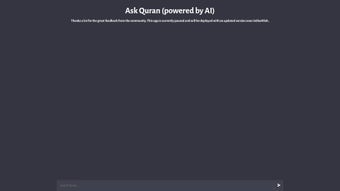
The main interface presents a clean, centered search bar. Here’s how to get the most out of it:
- Natural Language Queries: Type questions like “What does the Quran say about gratitude?” or “Verses on mercy.” The AI understands context and returns precise verses.
- Exact Phrase Search: Enclose a phrase in quotation marks (e.g., “the best among you”) for literal matches.
- Filter Options: Use dropdown menus to limit results by Surah, Juz, or specific translation.
- Bookmark & Annotate: Click the star icon to save a verse; use the note icon to add personal reflections.
- Switch Translations Instantly: Toggle between English versions or switch to an upcoming language translation with a single tap.
If you encounter any difficulties, the built‑in help center offers troubleshooting guides, video tutorials, and a direct link to the community forum where users share tips and solutions.
Compatibility, Pros & Cons, and Frequently Asked Questions
Ask Quran runs natively on Windows 10/11, macOS 12 Monterey and later, Android 8.0 Oreo+, and iOS 13+. The app requires a minimum of 2 GB RAM, 500 MB free storage, and a 1 GHz processor, making it accessible on both modern and older devices. Its responsive design adapts to desktops, tablets, and smartphones, ensuring a consistent experience across all screen sizes.
Pros
- Highly accurate AI that understands context, not just keywords.
- Completely free with no hidden subscription fees.
- Full offline capability after initial download.
- Multiple English translations for comparative study.
- Privacy‑first design—no personal data sold or shared.
- Regular, community‑driven updates improve performance.
- Cross‑platform sync when an optional account is created.
- Intuitive UI with dark mode and responsive layout.
Cons
- Voice query feature is still in beta and may not work on all devices.
- Initial sync can consume several hundred megabytes of data on limited mobile plans.
- Advanced filters such as tafsir integration are planned but not yet available.
- Rare edge‑case queries may return broader results than expected.
Frequently Asked Questions
Is Ask Quran truly free, or are there hidden costs?
Ask Quran is free to download and use. All core functionalities—including AI search, offline access, and multiple translations—are provided at no charge. Future premium options, such as unlimited cloud sync, will be clearly labeled and remain optional.
How does the AI ensure the verses it returns are accurate?
The AI model has been trained on the verified Arabic text of the Quran and its most widely accepted English translations. Contextual embeddings allow the system to grasp the meaning behind a query, minimizing mismatched results. Ongoing community testing further refines precision.
Can I use Ask Quran without an internet connection?
Yes. After the initial download, the complete Quranic text and chosen translations are stored locally. All search operations run offline, making the app ideal for travel, prayer spaces with limited connectivity, or regions with unstable internet.
Is my personal data safe when I use Ask Quran?
Privacy is a top priority. The app does not collect personal identifiers unless you create an optional account for syncing. All server communication is encrypted, and any data transmitted is anonymized. No personal data is sold to third parties.
Will future updates add more language translations or tafsir resources?
Yes. The development roadmap includes additional language translations such as Urdu, Turkish, and Indonesian, as well as integration of classical tafsir (exegesis) libraries. These enhancements will roll out progressively based on community demand.
Conclusion – Should You Download Ask Quran?
Ask Quran stands out as a thoughtfully designed blend of modern AI technology and deep respect for the sacred text of the Quran. Its free, cross‑platform availability, combined with a powerful natural‑language search engine, makes it an essential companion for scholars, educators, and everyday readers alike. While a few advanced features—such as voice queries and expanded tafsir libraries—are still in development, the current version already delivers a seamless, secure, and highly accurate Quranic exploration experience. If you value time‑saving precision, privacy, and the ability to study offline, downloading Ask Quran is a decision you won’t regret. Click the button below to start your journey and stay tuned for future updates that will further enrich your interaction with the Quran.
Download Ask Quran Now


.png)



